Facebook Ad Account Purchase and Usage Guide
ABLE-IPTV
Aug 19 . 2025
How to log in to a purchased Facebook personal account using Hotmail email verification (web tutorial)
1. Preparation
1. Set up VPN/proxy on your computer.
2. Install and use Google Chrome.
2. About the account
1. After a successful order, the credentials popup looks like this:

100089081263937|OOOOO8eyL2||[email protected]|OGGjjp150@|erarumgrl68q@fviadr
opinbox.com|http://sbook.pics/Backup?id=100089081263937
1. A Facebook account's information is generally separated by the "|" symbol.
2. As shown above, the account information structure is:
Facebook account ID | Facebook account password | Email bound to the Facebook account | Email login password | Backup email
(verification email) | Identity information link
3. Login steps:
1. Open a fresh browser (Chrome or an anti-detect browser is recommended) and navigate to:
「https://www.facebook.com/」
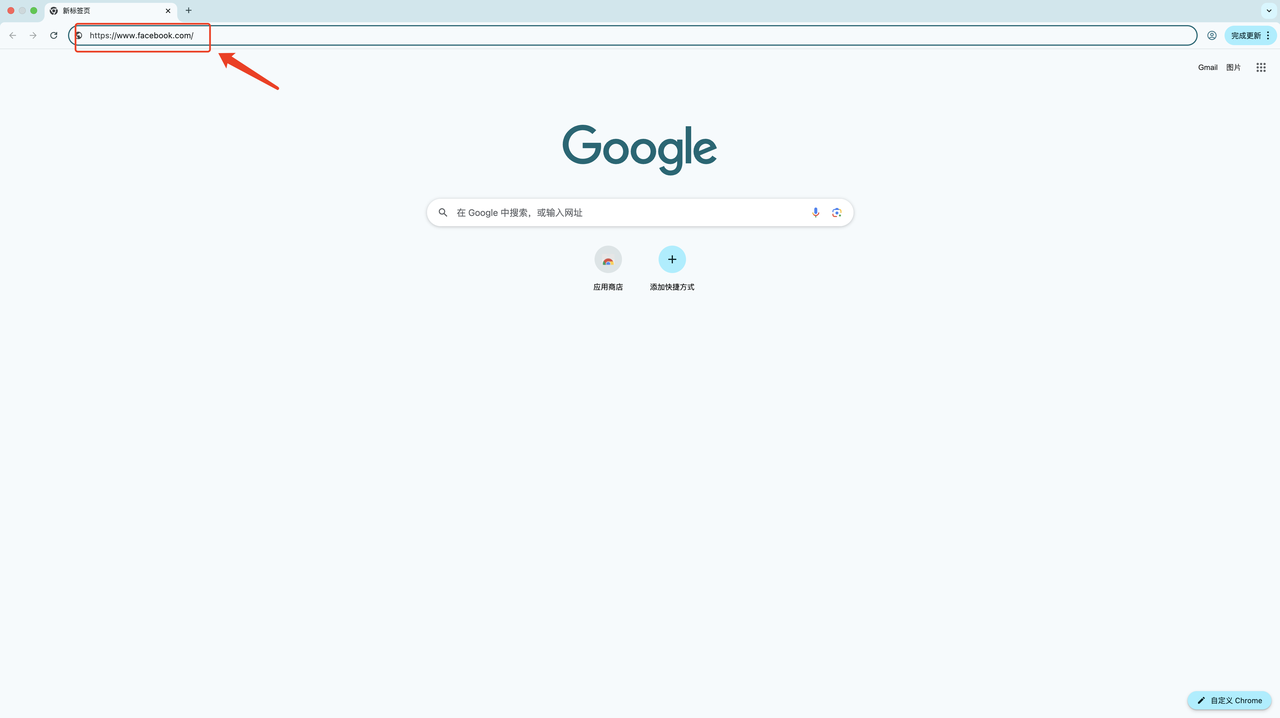
2. Enter the Facebook account and password, then click Log In.
Example:
100089081263937|OOOOO8eyL2||[email protected]|OGGjjp150@|erarumgrl68q@fviadr
opinbox.com|http://sbook.pics/Backup?id=100089081263937
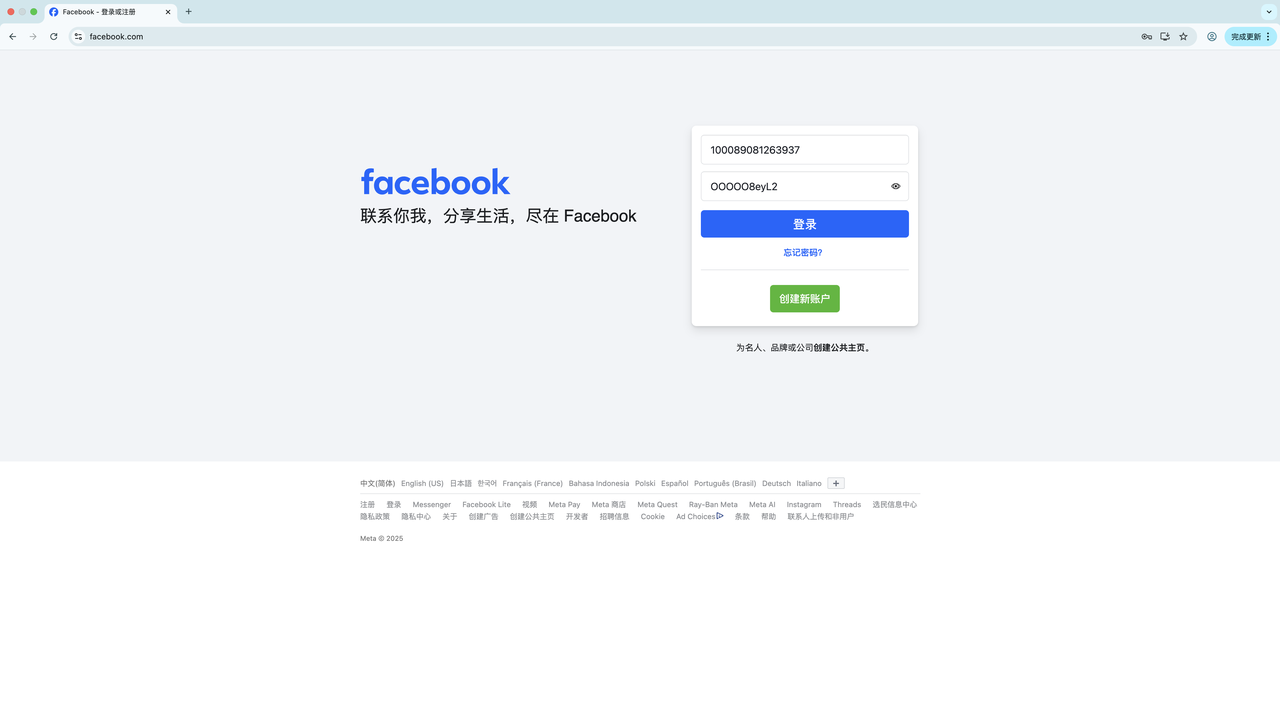
3. After clicking Log In, the following page appears:
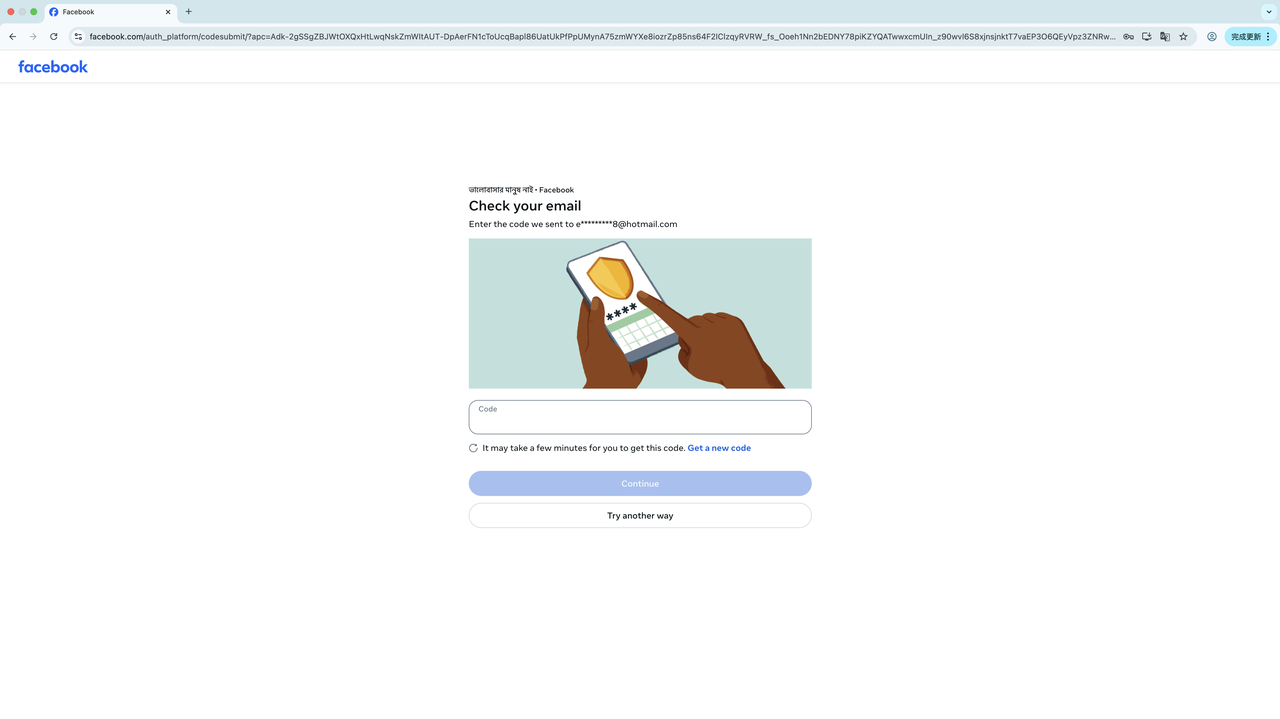
Reminder: If a verification page asks you to confirm on another device, click "Try another way" and choose the email verification method that matches your credentials:
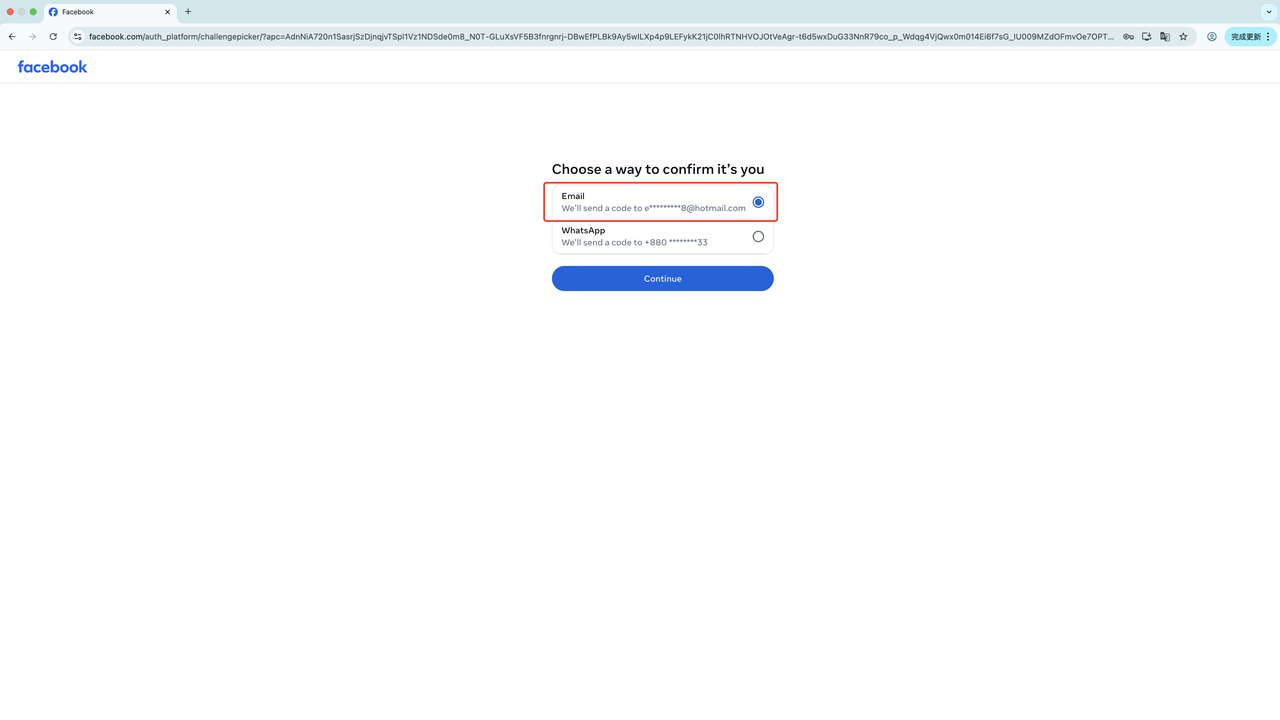
4. Log in to the email bound to the Facebook account to get the verification code
1. Email login URL:
https://www.microsoft.com/zh-cn/microsoft-365/outlook/email-andcalendar-
software-microsoft-outlook?deeplink=%2fmail%2f0%2f%3fnlp%3d0&sdf=0
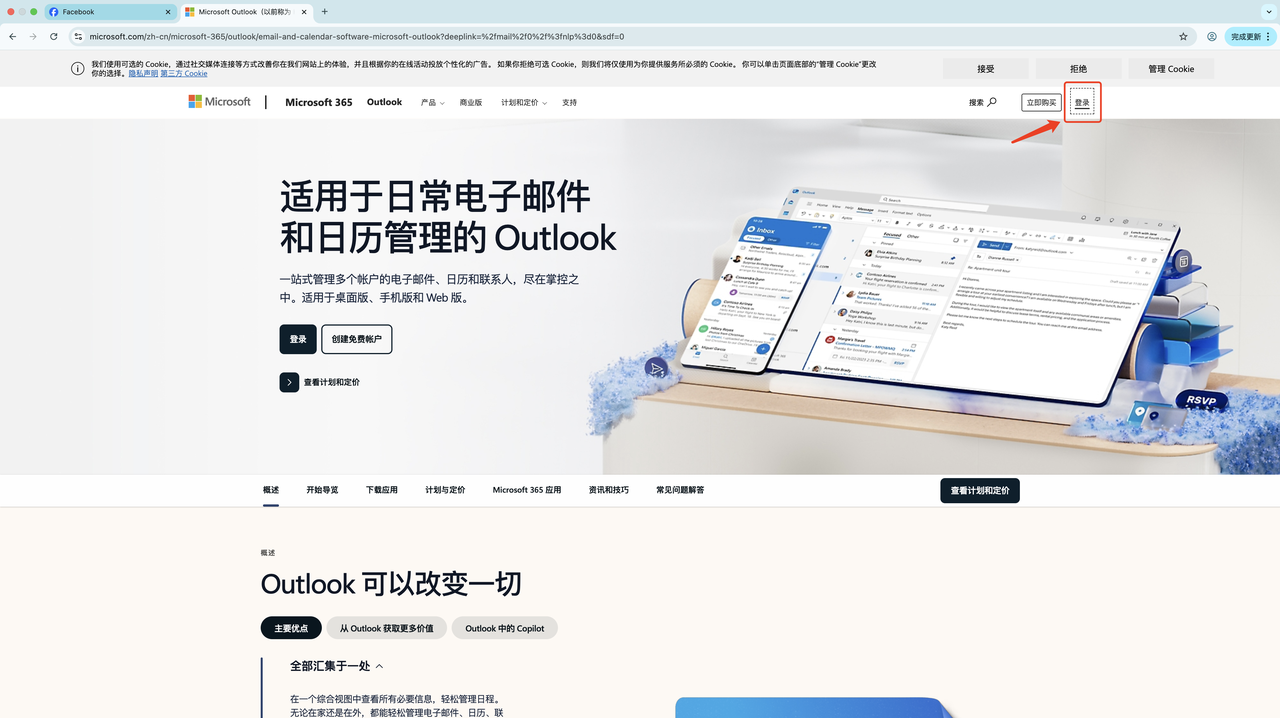
2. Enter the Facebook account information
Enter the email account and email password, then click Next. Example:
100089081263937|OOOOO8eyL2||[email protected]|OGGjjp150@|erarumgrl68q@f
viadropinbox.com|http://sbook.pics/Backup?id=100089081263937
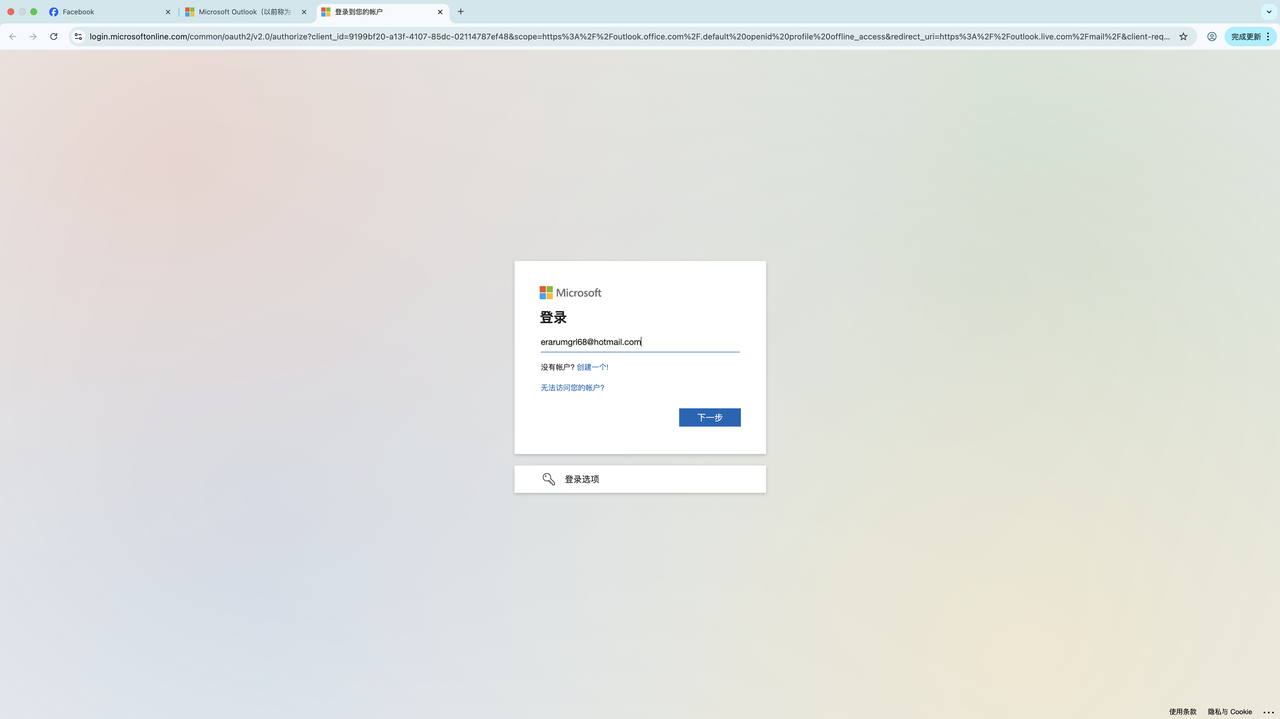
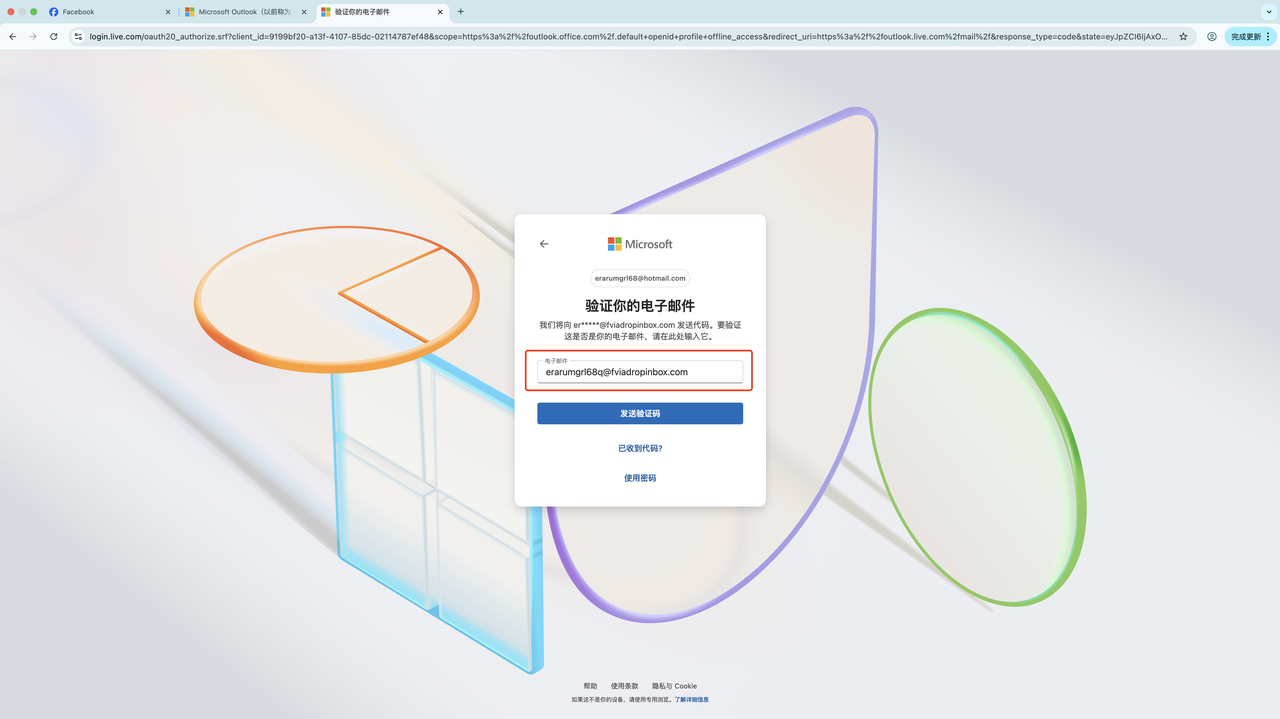
3. When asked to verify the backup email
(see page below), fill the backup email into the red box, then first log in to the backup email before clicking Send Code.
4. Log in to the backup email
• Backup email @dropinboxes.com @fviamail.work @fviainboxes.com @fviadropinbox.com — get the code at
「https://fviainboxes.com/」
Make sure to select the correct email suffix, otherwise the code won't arrive.
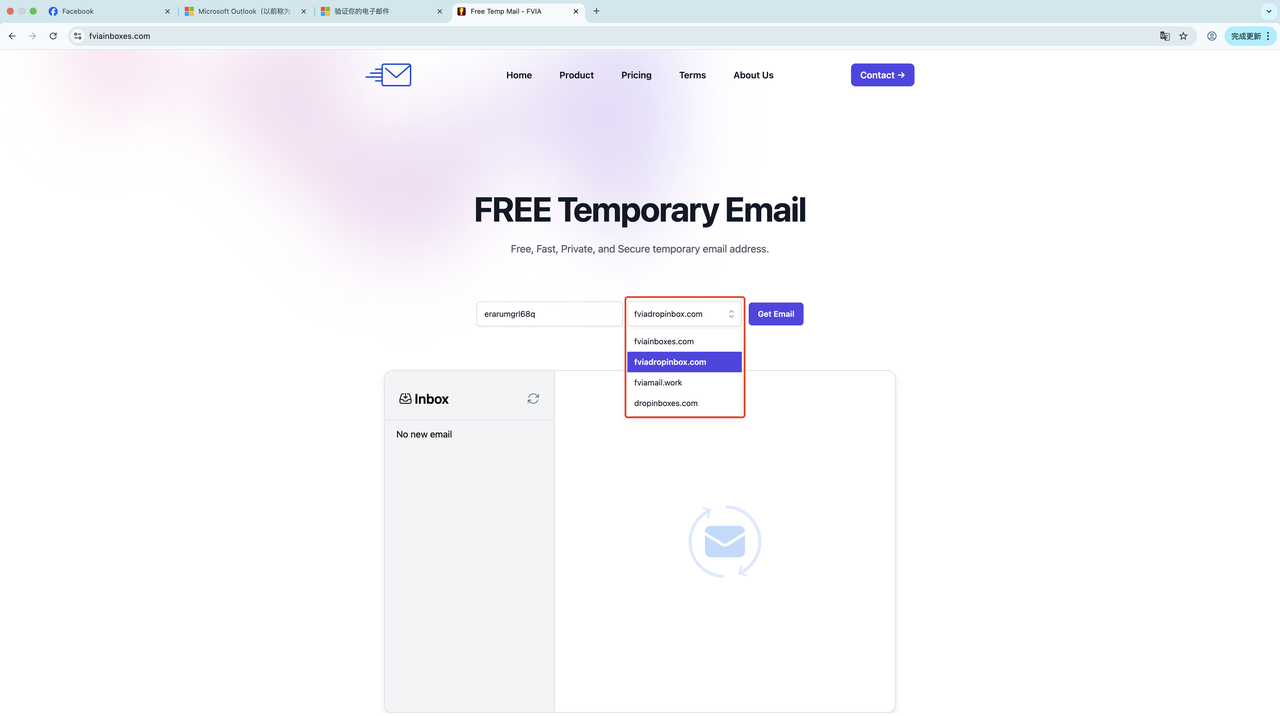
After clicking Send Code, refresh and wait to receive the code.
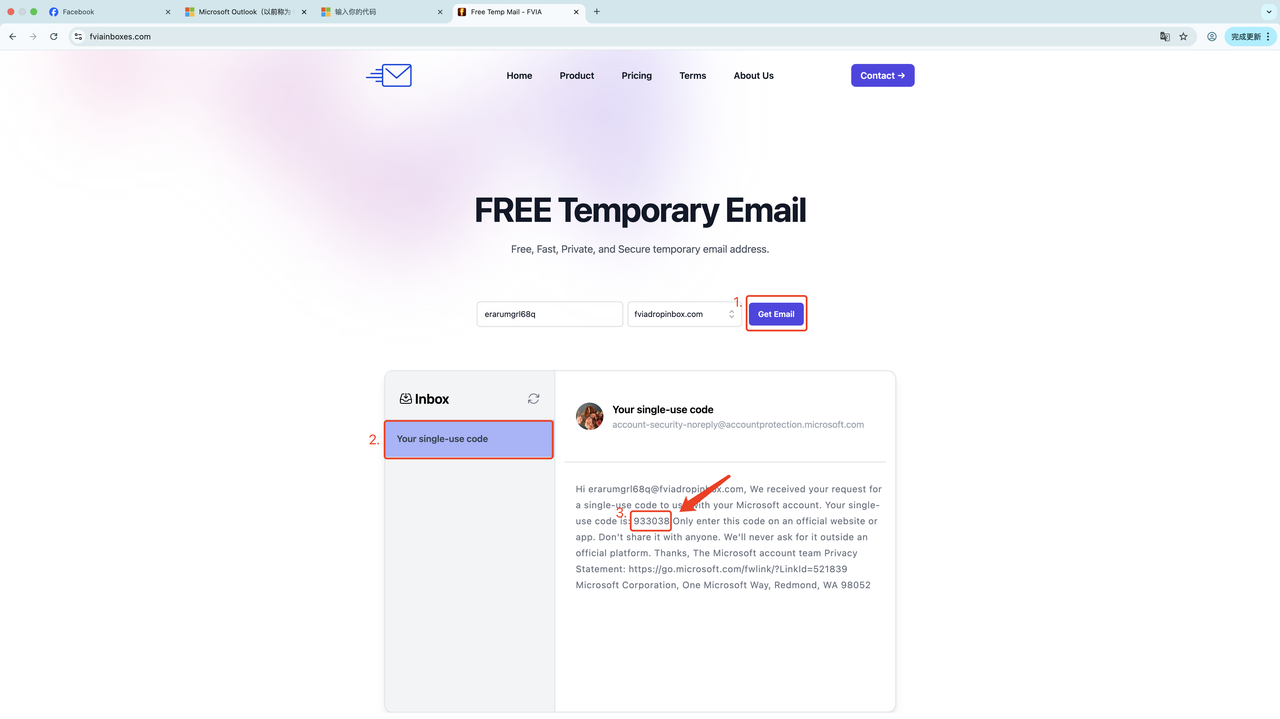
• Copy the code to complete the Hotmail login.
5. Copy the verification code received by the Hotmail email
Return to the Facebook email verification login page. If not received, resend and refresh the page to wait.
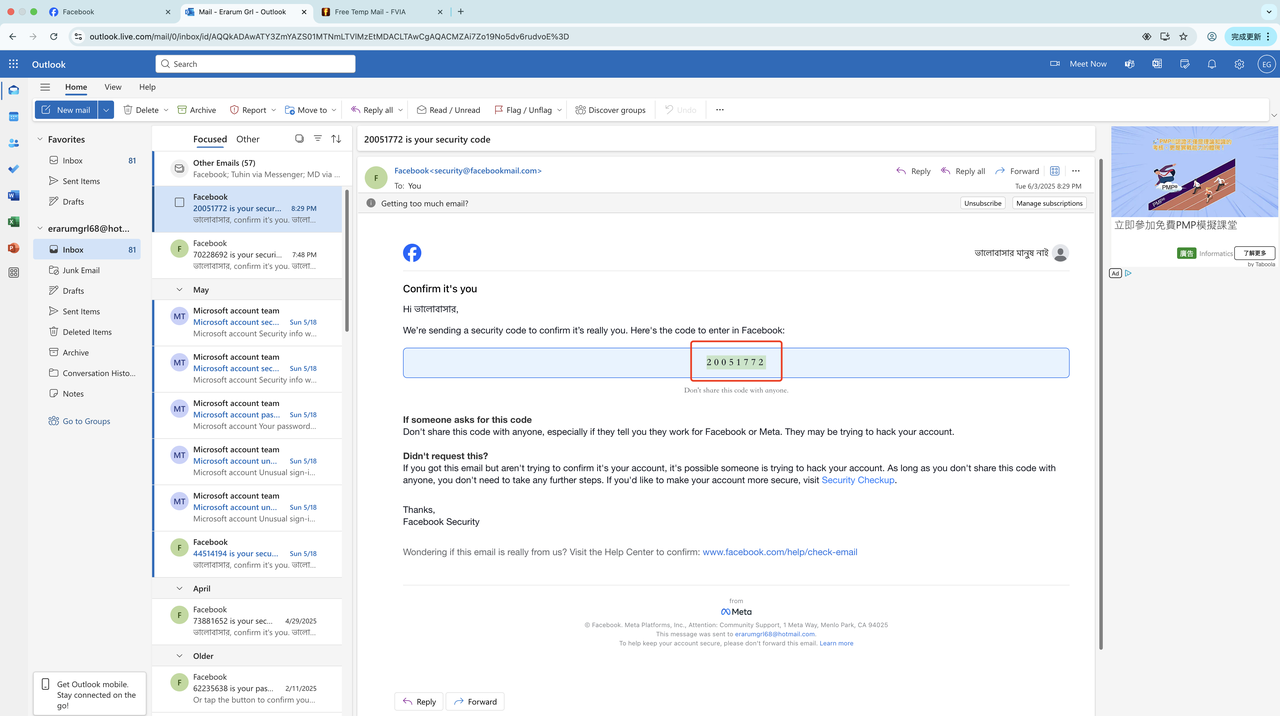
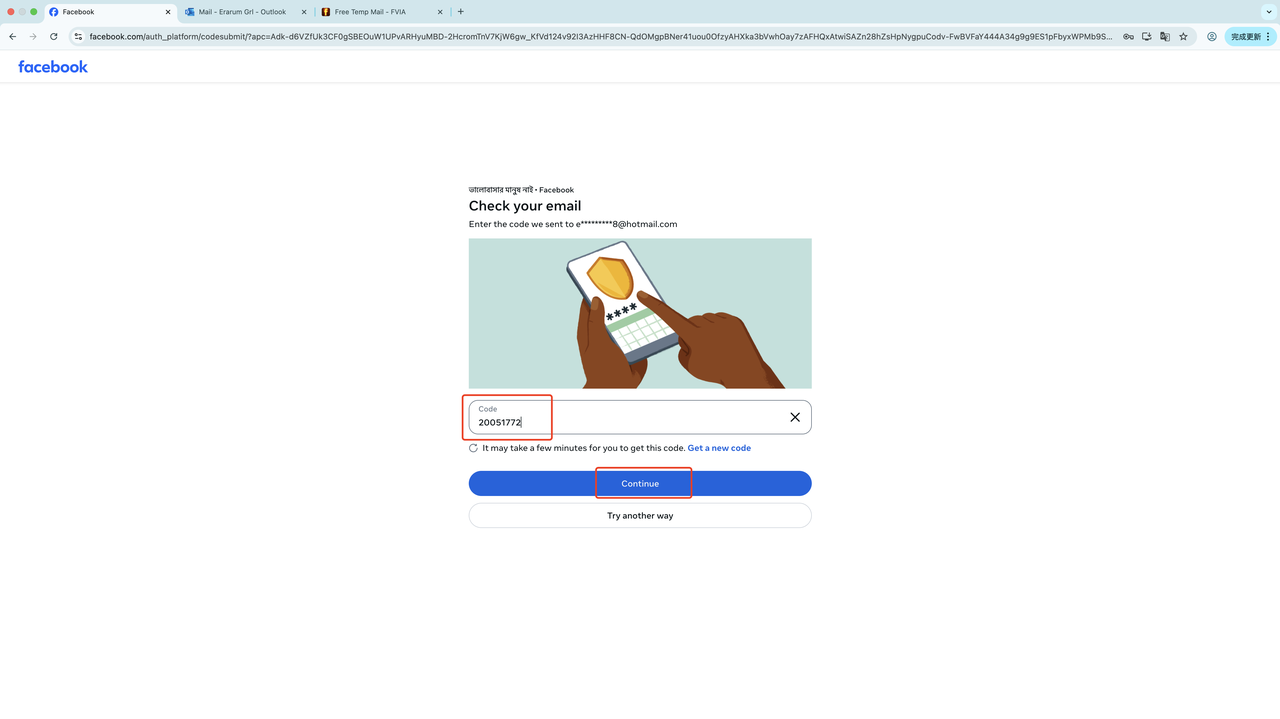
6. Paste the verification code
Click "Continue" to complete the Facebook login.
7. Login successful
The image below shows a fully logged-in account: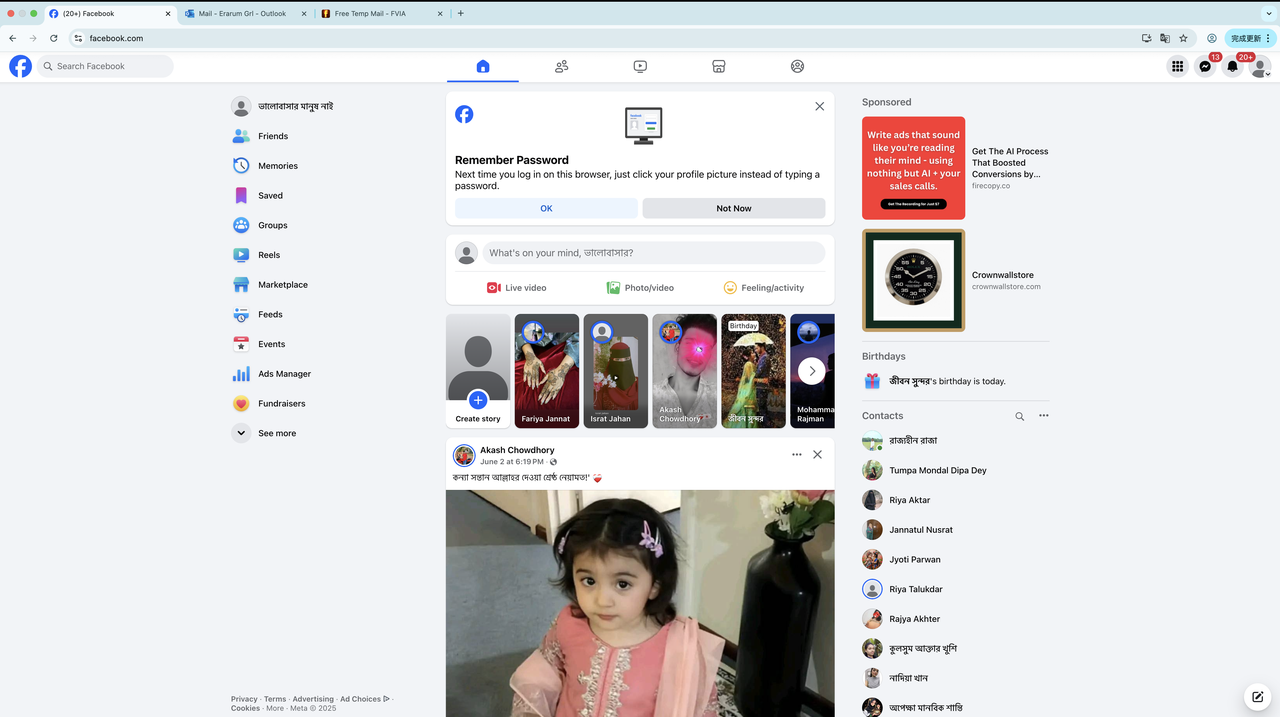
5. How to log in to a Facebook account via 2FA
1. Understand the Facebook account format for 2FA login:

A Facebook account's information is generally separated by the "|" symbol. As shown above, the structure is:
Facebook account ID|Facebook account password|Facebook 2FA key|Email bound to the Facebook account|Email login password|Backup email (verification email)|cookie
2. Login steps:
1. Open a fresh browser (Chrome or an anti-detect browser is recommended) and navigate to 「https://www.facebook.com/

2. Enter the Facebook account and password, then click Log In.
61576333125053|183a17d7x5ao@$#|B63MW3K60WLWTTQ5ESDNWQKA7CAB2BR2|[email protected]/Steam.LNJ8xy|
[email protected]/XS=31%3AB8NdSpKCDwPEow%3A2%3А1748262166%3А-1%3A-1;sb=FV00aOQT10v3J
wCb6LNSCb5Z;fr=0PVBjunG59nM9zIn8.AWcqiZOMcybDq5-ect1zxE7u0OGZW1HPRo87K_680kZ01Kd5ZrU.BoNFOR..AAA.0.0.
BoNFOV.AWelP_cio5mAdx-CAENVtI8Hkck;wd=383x511;c_user=61576333125053;datr=EV00aGfydK1xOXO2G4Sg3ZfU;

3. After clicking Log In, if a verification page asks you to confirm on another device, click "Try another way":

4. Select "Authentication app":

The page after redirect looks like this:

4. Generate a code with the authenticator key
4.1: Open https://g2fa.live/

Enter the Facebook account key
61576333125053|183a17d7x5ao@$#|B63MW3K60WLWTTQ5ESDNWQKA7CAB2BR2|[email protected]/Steam.LNJ8xy|yswiqei
[email protected]/XS=31%3AB8NdSpKCDwPEow%3A2%3А1748262166%3А-1%3A-1;sb=FV00aOQT10v3JwCb6LNSCb5
Z;fr=0PVBjunG59nM9zIn8.AWcqiZOMcybDq5-ect1zxE7u0OGZW1HPRo87K_680kZ01Kd5ZrU.BoNFOR..AAA.0.0.BoNFOV.AWelP_cio5m
Adx-CAENVtI8Hkck;wd=383x511;c_user=61576333125053;datr=EV00aGfydK1xOXO2G4Sg3ZfU;

After getting the code, copy it to the Facebook login page.

5. Paste the code and click "Continue" to complete the Facebook login. If it shows incorrect, refresh to get the latest code.

7. The image below is the successful login page.

Related reading
One subscription to own it all, high definition 4K, fast loading, enjoy the good time of IPTV
No hidden consumption, all subscriptions can enjoy live TV, TV series, movies and other media, 58000+ movies, 16000+ TV channels and 17000+ TV series, watch as you like

Able IPTV
Best IPTV Provider
share:
Popular articles





Blog Directory
Related articles
Here are the articles you may need about IPTV
